
Meoz vs Rize: a friendly companion for your deep work
Some days, you know exactly what you need to do. Getting started—and staying with it—is the hard part. Meoz is built to make that moment feel lighter: a friendly companion in your corner, keeping your goal close and helping you take the next step.
You are a person with something to do
You might be a student working through a difficult chapter, a knowledge worker turning research into a clear argument, or a professional preparing tomorrow's presentation. You do not have to think of yourself as a productivity enthusiast to want a little support.
Meoz is designed for people doing meaningful, demanding work. Its aim is a desk that feels more encouraging: a clear goal, a gentle reminder when attention drifts, and a small sense that you have someone on your side. Feeling supported, at ease and ready to continue is the experience we are working toward.
The difference starts with what you want beside you
Rize's public materials emphasize automatic time tracking, focus metrics and reporting. Those tools can be useful when you want to understand your work patterns or account for time across projects. Rize also offers focus sessions and distraction blocking; it is not simply a passive counter.
When tracking starts to feel like pressure
If you already feel overwhelmed by deadlines, a focus tool centered on tracking time and measuring productivity may feel like another thing to answer to. You might find reminders irritating or blocking too controlling—even when those features are intended to help. That is a potential mismatch to consider when choosing Rize, rather than an experience every user will share.
Meoz takes a companion-first approach: a small, friendly presence that keeps your goal nearby and encourages your next step. You choose how visible it is and how firmly it intervenes, from gentle nudges to stricter protection. Meoz's reminders can also feel intrusive if they do not suit you; being able to adjust that experience matters more than the cute face alone.
Cute has a purpose
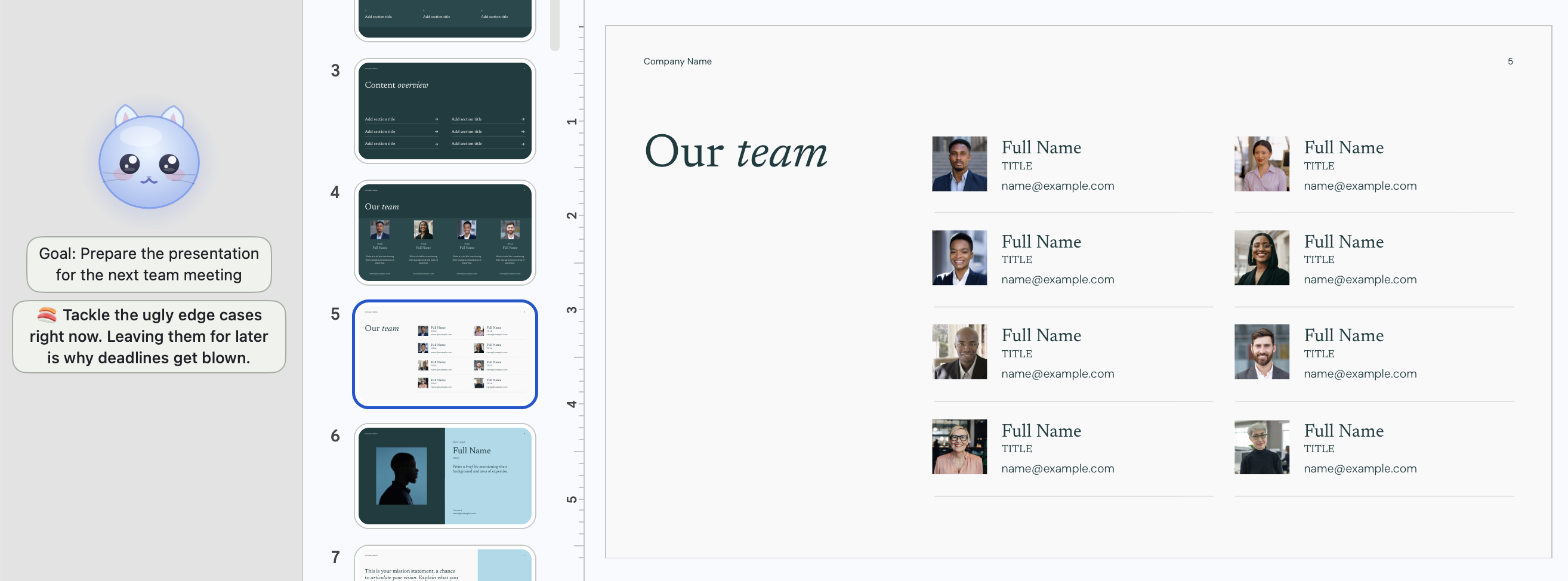
The rounded face, soft colours and little expressions are part of how Meoz greets you throughout the day. Your goal can sit below the cat, alongside a short Meoz Saying. In the screenshot, the goal is simply to prepare a presentation for the next team meeting: an ordinary task, with a little company.
That friendliness is not limited to students or casual work. Professionals and knowledge workers can want serious focus with a softer atmosphere, too. You can keep the cat visible, hide just its face, turn the Goal and Sayings banners on or off separately, or hide the widget. You choose how much company you want.
Gentle does not mean powerless
Meoz evaluates supported browser context against the goal you set. A useful reference and an unrelated detour can live on the same website; context helps the Guardian respond to what you are trying to accomplish.
You choose Gentle Companion, Smart Context or Deep Lockdown. Depending on your settings and the content, Meoz can remind you or progress to closing distracting browser tabs. Pro's Session Lock and Commitment Lock add stronger commitment controls. The friendly character and firm boundaries can coexist.
AI can misunderstand a page. Clear goals and the available appeal controls help you correct those moments. The promise is supportive design and configurable protection—not perfect judgment or guaranteed productivity.
Rest belongs in the picture
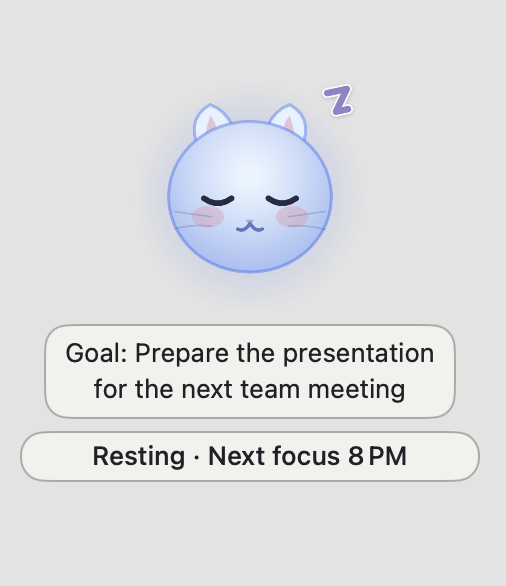
The sleeping Meoz in the second screenshot makes a quiet point: you are not expected to focus every moment. Here, it shows that it is resting and when the next focus is scheduled. The companion can be present without asking you to work right now.
Scheduled Sessions support a routine; Flex Sessions let you begin when you choose. Pomodoro breaks create room to step away. Meoz is meant to fit the shape of your day, including its pauses.
Which experience would you rather return to?
Consider Rize if your main question is where your time goes and you value its tracking and reporting tools. Consider Meoz if you want a friendly, goal-aware companion that helps you begin, notices drift and brings your attention back to what matters.
Try a normal task before choosing: prepare a presentation, review a chapter or draft a report. Notice whether the experience helps you return willingly, whether the reminders suit you, and how easily you can adjust the level of intervention. A cute face is an invitation; the everyday experience is what has to earn its place.
A few practical details
Meoz currently requires macOS 14 or later. Free includes goal-aware AI with your own key (BYOK); provider fees and quotas apply separately. Pro includes managed AI and premium controls. The current plan details are linked below.
Focus analytics stay on your Mac, and browser judging does not use screenshots. With cloud AI, relevant context leaves the device: BYOK goes directly to your selected provider, while Pro uses Meoz's gateway and its AI processors. A compatible local provider is another option. Feeling comfortable also means knowing how your data is handled.
About this guide
Written by the Meoz team. Reviewed October 17, 2026 using Meoz's implementation and Rize's linked public documentation; this is not an independent review or a hands-on Rize benchmark.
Keep reading
Use Meoz's Free AI with your own key (BYOK)
What BYOK includes in Meoz Free, how to get started, and how provider costs and privacy differ from Pro.
Read article → GuidesGoal-aware AI and website blockers: when to use each
How goal-aware classification, focus blocklists and system-wide network protection work together in Meoz.
Read article → GuidesThe best focus app for students and researchers? Meet Meoz.
Looking for the best focus app for studying and research on Mac? Meet Meoz: a friendly AI companion for thesis writing, Overleaf, coding and educational YouTube.
Read article →