
The best focus app for students and researchers? Meet Meoz.
You opened YouTube because the paper skipped a step. One explanation became three videos. Somewhere along the way, the question you came to answer disappeared. Now Overleaf is still open, the paragraph is still unfinished, and you feel worse than when you started. You care about the work. You need a little help staying with it.
What makes Meoz a good fit for studying and research?
Meoz is an AI focus companion for students and academic researchers on Mac. It compares readable context in supported browsers with your study or research goal, then offers gentle reminders or firmer intervention according to your settings. A small cat keeps your goal close while you read papers, write a thesis or work through code.
The best focus app for your research should leave room for research. You need reference papers, documentation and sometimes a video explanation—not a setup that treats every detour as wasted time. Meoz brings your goal into the decision, with a friendly companion beside you and boundaries you choose. That combination is why we think it deserves a place on your shortlist.
That matters whether you are an undergraduate catching up on lectures, a master's student finding a thesis argument, a PhD student revising a paper, or a postdoc balancing experiments, writing and the next grant deadline. Your next useful step is more specific than “be productive.”
For ADHD students and researchers—and anyone who struggles to stay with a task
You might be a student with ADHD, a researcher who finds it hard to restart after interruptions, or someone who feels overwhelmed by a project with no obvious finish line. You might simply be tired today. You do not need a diagnosis to want a clearer next step and a little encouragement.
If you have ADHD, the useful question is whether Meoz fits the way you work. Would a visible goal help you remember what you opened the laptop to do? Would a gentle reminder help you return, or would you prefer a quieter screen and firmer boundaries? Meoz lets you adjust its presence and intervention settings so you can try what suits you.
For a student facing a long reading list, the next step could be “Read the abstract and write one question.” For a researcher struggling to restart, it could be “Open yesterday's notes and check one result.” The whole project can wait while you begin one small part. Meoz provides focus tools and companionship; it is not an ADHD treatment, and individual experiences will differ.
When a short study break becomes the rest of the afternoon
The paper you have read three times without taking it in. You reach a dense derivation and realize you have been moving your eyes without following the argument. A funny video sounds like a reasonable breather. Then another plays. When you return, you have to find your place in the proof all over again.
The report with all the sources and no clear argument yet. Your notes are ready, but turning them into a careful discussion takes more out of you than collecting them did. You check the news before tackling the difficult paragraph. Twenty minutes later, the paragraph feels even harder to start—and now there is less time.
The experiment that finished while you were scrolling. You have a few minutes before the results arrive, so you open a feed. The run finishes. You do not notice. What was meant to fill a small gap has quietly taken over the time you set aside to interpret the results.
The evening when you are tired but still want one useful step. You do not have a whole chapter in you. You could annotate one figure or outline tomorrow's paragraph, but opening the thesis makes you think of everything still unfinished. Something easier is one tab away.
You were allowed to need a break in every one of those moments. The frustrating part is wanting a little relief and coming back with less time, less energy and the same unfinished work. Meoz is designed to help you notice the detour during focus and return to a smaller, clearer goal. Plan room for rest, too. If you choose a commitment lock, check its pause and ending restrictions before you start. There is no need to turn every tired moment into a test of willpower.

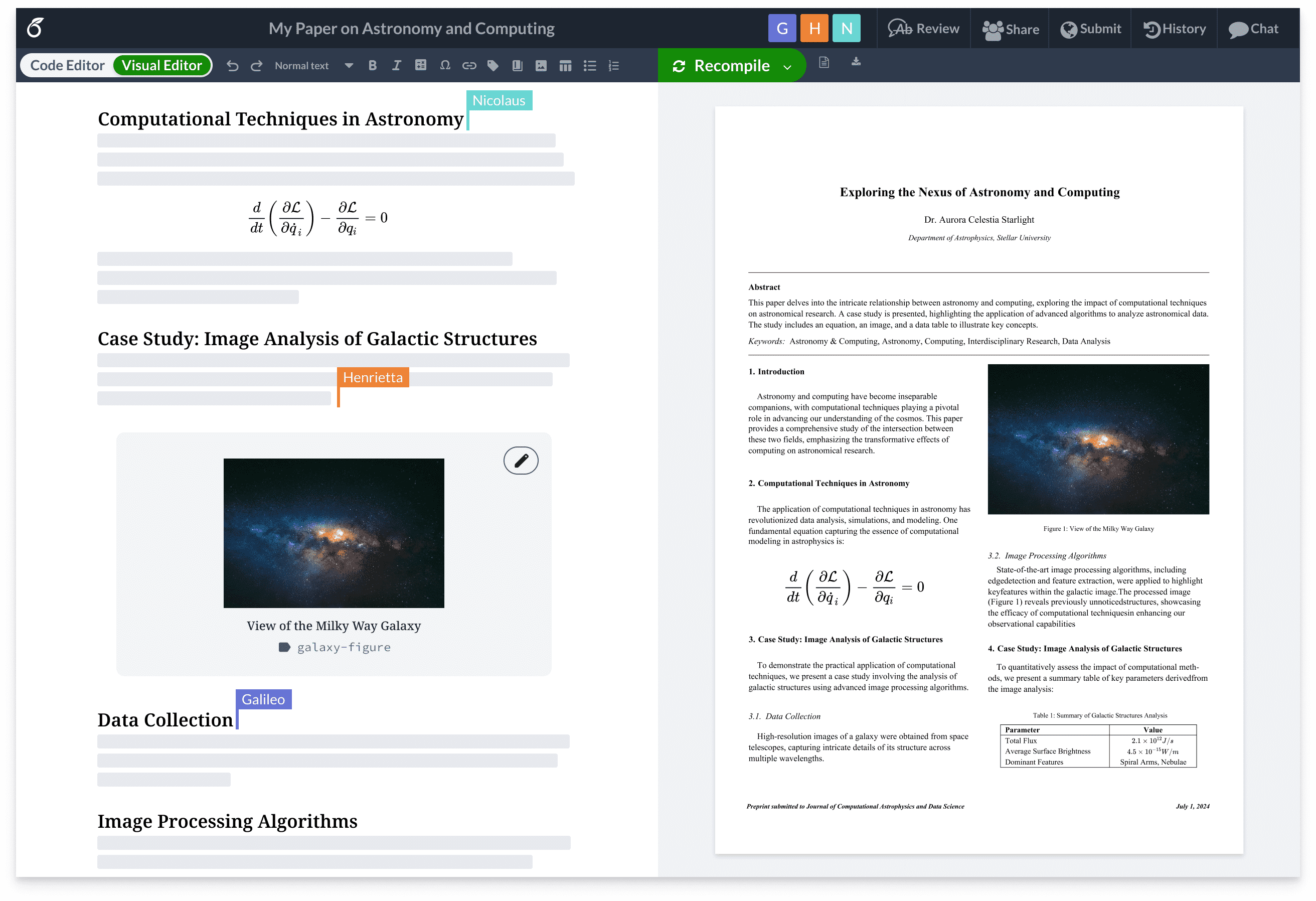
Overleaf is open. You still need to write the paragraph.
You sit down to revise the introduction. A reviewer asks for a clearer comparison, so you open a related paper, follow a citation and check another result. Those steps belong to the work. But it is surprisingly easy to finish the hour with more tabs and the same empty paragraph.
Give Meoz a goal such as “Revise the related-work paragraph comparing the two methods.” Now there is a concrete thread to return to while you move between Overleaf and reference pages. Meoz is not writing your argument or deciding whether your science is sound. Its job is to help you notice when you have wandered away from the task you meant to do.
Leave the Goal banner visible if it helps. A small reminder of that one paragraph can be more useful than keeping the whole thesis in your head. When you finish, mark the task done and choose the next piece.
GitHub and VS Code: follow the bug without losing the afternoon
Reproducing a result rarely stays inside one window. You edit in Visual Studio Code, check an upstream GitHub issue, read the documentation and open a discussion about an error. Sometimes the missing answer is in a video. None of that is automatically wasted time.
Use a goal like “Reproduce the baseline and investigate the data-loading error.” It is a better description of your session than “coding.” Keep the sources you need available, then let Meoz help you catch the move from solving that problem to browsing something unrelated.
This is a focus workflow, not a VS Code or Overleaf integration. Meoz does not inspect your whole repository, verify a notebook or read every editor buffer. Its browser judgments depend on accessible page context. The cat and Goal banner can stay beside your editor; native-app monitoring is a separate, configurable list.
If an experiment is running, choose what comes next deliberately: draft the method notes, review a figure, or take a break. You do not owe your computer uninterrupted attention while it waits.
How do you stay focused on YouTube when you need it to study?
You need to understand a proof technique, a laboratory method or an unfamiliar statistical model. A careful explanation can save you from rereading the same paragraph without understanding it. Blocking all of YouTube would also block that route forward.
Set a goal such as “Understand the assumptions behind this model and write three notes.” Meoz uses the available page context and your goal to assess relevance. The intention is to make room for useful learning while catching unrelated viewing.
That is not a promise that every relevant video will be allowed. Titles can be vague, page context can be unavailable, and AI can misread your intent. Where an appeal is available, explain the connection. Short-form feeds and explicit block rules have their own safeguards; choosing a study goal does not make every video productive.
The useful moment is small: you notice that the explanation is over, close the next recommendation and return to your notes.
Choose boundaries that leave your research room to breathe
Start with the goal and a strictness profile that suits you. Gentle Companion, Smart Context and Deep Lockdown offer different levels of intervention. Firmer settings can progress to closing distracting browser tabs. You do not have to choose the strictest profile to take your work seriously.
Use Allowed During Focus for trusted work websites you want available. Free supports up to 20 custom entries. With Pro, Blocked During Focus lets you name websites you have already decided are off-limits during focus, rather than asking AI to reconsider them.
Pro also lets you customize Monitored Apps During Focus. If a listed app is frontmost, Meoz can nudge and offer to hide it; it does not force-quit the app. Keep your coding, reference and lab tools out of that list. This is different from Network Blocker, whose applied system-wide protection can continue outside a focus session.
Choose a few boundaries you understand. A setup you trust is easier to return to tomorrow.
Try one reading session before changing your whole routine
1. Give the session a question. Instead of “Read this paper,” try “Understand what Figure 2 shows and write down one limitation.” Keep the paper and your notes open. Cornell’s Learning Strategies Center recommends approaching reading with a purpose, a plan and a preview; the reading guide below explains the method. This example applies that idea to a Meoz goal—it is not a tested Meoz study.
2. Choose support you are comfortable with. Start a Flex Session and choose a duration that fits. Begin with gentle reminders if you are still learning how Meoz responds. Keep needed reference pages available, and avoid commitment locks for this first try if you want to stop freely.
3. Leave yourself somewhere to return to. Write what you understood and the next question in your notes or journal. You might finish with “Figure 2 compares the two conditions; next check how the sample was selected.” If you need a break, take one. A clearer question counts as progress even when the paper is not finished.
Afterward, ask: did the reminder help me return? Was my goal specific enough? Did the companion feel welcome? Those answers are a better reason to keep Meoz than another promise to make tomorrow perfectly productive.
Serious work can have a friendly face beside it
Academic work can leave you alone with a problem for a long time. After the meeting ends, you still have to sit down with the draft. Another stern notification may be the last thing you want.
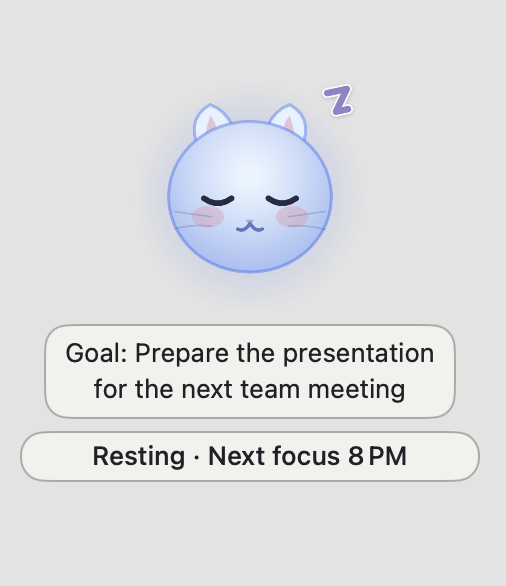
Meoz is designed to make that desk feel a little more welcoming: a soft-coloured cat, your goal nearby, and a reminder to take the next step. You can want encouragement and still be ambitious. The friendly appearance belongs alongside difficult work, not just easy tasks.
You also choose how much company you want. Hide the face, turn the Goal and Meoz Sayings banners on or off separately, or hide the widget entirely. Your focus session can continue. A companion should fit your desk.
Before you use it with unpublished research
Meoz requires macOS 14 or later. Browser judging does not use screenshots, and focus analytics stay on your Mac. Cloud AI still processes relevant goal and browser context: Free/BYOK sends requests to your selected provider; Pro sends them through Meoz's gateway and AI processors.
Pro uses Zero Data Retention routing for AI prompts and responses. That is a retention policy, not a claim that context never leaves your device. A compatible local provider is another option. For confidential manuscripts, participant information or restricted project material, check your institution's rules before choosing cloud processing.
Is Meoz the best focus app for the way you work?
You do not need a new productivity system before you begin. Open the document you already care about. Choose the next paragraph, calculation or figure. Give Meoz that goal and try one session.
Free includes goal-aware AI with your own key (BYOK); your provider's fees and limits apply separately. Pro includes managed AI without a personal API key, plus custom block and app lists, commitment controls and detailed analytics. Eligible users can start the 45-day Pro trial through Nov 30, 2026.
See whether you like having Meoz there when your attention slips. The draft will still ask something of you. You can have a little company while you work on it.
Try Meoz for your next study session
About this guide
Written by the Meoz team · October 17, 2026. Workflow examples are illustrative, not testimonials or integrations with the named tools. This is a guide to Meoz, not an independent ranking of focus apps. Overleaf image source: cdn.overleaf.com/img/website-redesign/editor-pdf-video-poster.png.
Cornell: reading with purpose, a plan and a preview
NIMH: adult ADHD information—not evidence for Meoz
Keep reading
Meoz vs Rize: a friendly companion for your deep work
Want a friendly companion beside your work? Explore Meoz's gentle, goal-aware approach alongside Rize's emphasis on time tracking and productivity insights.
Read article → GuidesUse Meoz's Free AI with your own key (BYOK)
What BYOK includes in Meoz Free, how to get started, and how provider costs and privacy differ from Pro.
Read article → GuidesGoal-aware AI and website blockers: when to use each
How goal-aware classification, focus blocklists and system-wide network protection work together in Meoz.
Read article →