
The best focus app for remote work? Finish something before the next call.
You have been available all morning. You answered the messages, joined the call and checked the shared document. The work you meant to finish is still waiting. Meoz is a personal AI focus companion for remote workers and freelancers on Mac, helping you stay with one chosen goal between the demands of the day.
Being reachable and making progress are different jobs
Slack, email and project updates can be real work. The difficulty comes when you keep checking them even though nothing needs your attention right now. Each check gives you a small sense of being useful; the proposal or deliverable takes longer to reward you.
A focus app should help you protect the work without making you unavailable when it matters. Before changing any settings, agree on response expectations with your team or client. Atlassian's guide to asynchronous communication distinguishes immediate conversations from messages people can answer later. Your focus window needs the same distinction.
Give the gap between meetings a job
You have forty minutes before a call. Instead of setting the goal to Work on client project, try Draft the scope and exclusions for the proposal. Open the brief and your document. Start a Flex Session that fits the time available, and leave enough room to prepare for the call.
Meoz keeps your goal nearby and can respond when readable browsing drifts away from it. It does not move your meetings, set your Slack status or negotiate deadlines. You make the space; the companion helps you use it.
Three familiar ways a remote day gets away from you
The inbox loop: you send one reply, refresh, and check again a minute later. Decide when you will next review messages and keep the urgent channel available according to your team's agreement. Do not block a channel you are responsible for monitoring.
The client switch: a message from another project pulls you into its files. Before changing tasks, leave a one-line return note: Next, add the two exclusions to the proposal. If the new request is genuinely urgent, change the goal deliberately rather than trying to hold both projects in mind.
The afternoon reset: lunch ends, but you keep watching something while waiting to feel ready. Choose a small restart: open the document and draft its first heading. A friendly reminder is more useful when it points back to an action you can actually take.
Use a routine where it helps, flexibility where you need it
Scheduled Sessions suit recurring work blocks. Flex Sessions suit days that change. A freelancer might reserve a morning routine for delivery work and use a shorter manual session after client calls. The point is a dependable start, not a perfect calendar.
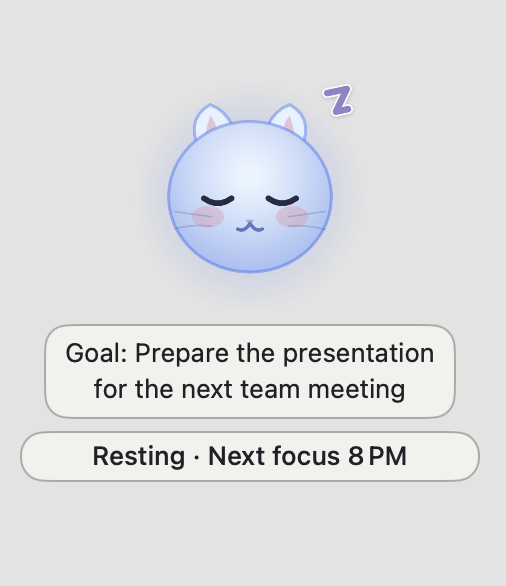
Keep the cat and Goal banner visible if they make working alone feel more supported. You can adjust their visibility for a quieter screen. Meoz is a personal desktop companion, not a virtual coworking room or a service that pairs you with another person.
When you choose stronger protection, read the lock options first. A lock can restrict pausing or ending a session early. If your responsibilities require immediate interruptions, start with a more flexible setup.
Make distractions harder without making work harder
Context-aware browser judging can help when a useful reference and an unrelated detour live on the same site. AI can also misunderstand a page. Clear goals, readable browser context and the available appeal controls matter.
Custom Focus Rules let you shape your boundaries. Free includes up to 20 custom allow-list entries; Pro adds custom block lists and app-list customization. A monitored native app receives nudges and an option to hide it rather than being force-quit. These controls do not mean Meoz understands every message or document inside your apps.
Start gently and test a normal workday before choosing stricter rules. If a tool is essential for a client obligation, preserve access to it. An app cannot fix a workload or response policy that leaves no room to concentrate.
End the block with something you can hand off
Before stopping, write three lines: what changed, what is waiting on someone else, and what you will do next. Send the relevant update through your usual team tools when needed. That gives colleagues useful information without keeping you in a permanent checking loop.
A break can then be a break. You have left a clear place to return to, rather than a vague promise to catch up later. Meoz's role is to support that rhythm, not to make every spare moment another work session.
Try Meoz on one ordinary work block
Meoz requires macOS 14 or later. Free includes AI with your own key (BYOK), with separate provider fees and limits. Pro includes managed AI and premium controls. Focus analytics remain on your Mac; cloud AI processes relevant goal and browser context, so check your organisation's policy for confidential work.
Choose one deliverable that has been squeezed between messages. Set a clear goal and a realistic session. Finish the small piece you can finish today. Notice whether Meoz makes returning easier and whether its reminders feel supportive. That is a better test than building an elaborate routine before you have tried one afternoon.
Meoz or Focusmate: personal support or human accountability?
Choose human coworking when another person's presence helps you begin. Focusmate matches you with a partner for a video session: you share your goals, work, and check in afterward. That social commitment can be exactly what you want on an isolated workday.
Other days, the available time is a gap between client calls, and another video session is not how you want to spend it. Meoz offers a personal AI companion on your Mac. Start a session, name the deliverable, and work in your existing tools. There is no partner to match with and no shared room to join. Its role is to help you notice browsing that has lost its connection to your goal.
Choose Meoz when you want support on your own terms, with gentle reminders or firmer boundaries you select. The cat brings a friendly presence; it does not provide human conversation or companionship. If that human connection is what you need, coworking may suit you better. If you simply want help returning to the client draft between meetings, try Meoz on that next block.
Try Meoz for your next work block
About this guide
A Meoz-authored guide with illustrative remote-work scenarios, not an independent ranking or a measured productivity study. Communication examples describe practices you arrange with your team; Meoz does not automate them.
Atlassian: asynchronous communication in distributed teams
Keep reading
Use Meoz's Free AI with your own key (BYOK)
What BYOK includes in Meoz Free, how to get started, and how provider costs and privacy differ from Pro.
Read article → GuidesGoal-aware AI and website blockers: when to use each
How goal-aware classification, focus blocklists and system-wide network protection work together in Meoz.
Read article → ComparisonsMeoz vs StudyStream & Focusmate: company for focused work
Compare Meoz's personal Mac companion with StudyStream's live focus rooms and Focusmate's video coworking. Choose support for starting, staying on task or both.
Read article →