
Meoz vs Forest: a focus companion or a growing forest?
A tree growing while you work can make starting feel good. A small cat beside your goal can make returning feel easier. Meoz and Forest both make focus more approachable, but they support different parts of the struggle. The question is what happens after you press Start.
| Question | Meoz | Forest |
|---|---|---|
| What draws you back? | Your chosen goal and a personal companion | A visible tree-growing focus activity |
| Where does support come from? | Available browser context assessed against the goal; configured rules | Timers, rewards and supported blocking modes |
| What should you test? | Whether interventions help you return to the task | Whether the session and reward help you stay engaged |
When the timer is running but the work has stopped
You start a focus timer to read a difficult paper. Ten minutes in, you look up an unfamiliar term. One page leads to another, and soon you are reading something much easier. The timer is still running. The paper is waiting.
A completed interval and meaningful progress are not always the same thing. That does not make timers useless: a bounded period can make starting less intimidating. But if you repeatedly finish sessions without finishing the work you meant to do, you may need a different kind of support.
Meoz is designed around a goal you can return to. “Summarize the paper's methods” gives the session a direction. A visible goal and context-aware reminders can help when you lose that direction mid-session.
What Forest offers beyond a timer
Forest's tree-growing experience gives focus a visible reward. Its current product information also describes blocking features and group focus, so it would be misleading to call it just a timer. Tree behaviour depends on the mode; do not assume every interruption has the same consequence.
If a small reward makes you willing to begin, that matters. Some people would rather protect a planted tree than configure another productivity dashboard. The best tool is not necessarily the one with the most analysis—it is the one you can comfortably use on an ordinary Tuesday.
We do not claim Meoz invented friendly focus software. Forest has its own appealing approach. The meaningful distinction is whether you want the session itself to motivate you or want additional help relating your browsing to the task.
A goal changes the question
Imagine writing a literature review in Overleaf. A video explaining the method may help; a recommended entertainment video does not. Both can be reached without leaving the same platform.
Meoz uses available browser context and your goal to assess relevance, alongside explicit rules and dedicated safeguards. It can offer reminders or firmer intervention according to your settings. It does not read every paragraph of your draft or judge whether your research argument is correct.
The practical advantage is help at the point where necessary browsing becomes a detour. It is not a promise that every tutorial will be understood correctly, or that you can leave every website open without thinking about your rules.
Cuteness should make work feel lighter
You do not need to turn every unfinished task into a personal failure. After a demanding morning, a small companion can be a welcome cue: the goal is still here; you can take the next step.
Meoz's cat and optional banners are meant to support that feeling without requiring a social session. You can adjust or hide the widget. You can choose a gentle setup or firmer protection; the face does not determine the strength of the rules.
Forest's reward may be the cue you prefer. Meoz's persistent connection to a specific goal may suit you better. Neither preference says anything about your seriousness. For a student, writer or researcher, the useful question is whether the cue helps you resume the work when it becomes difficult.
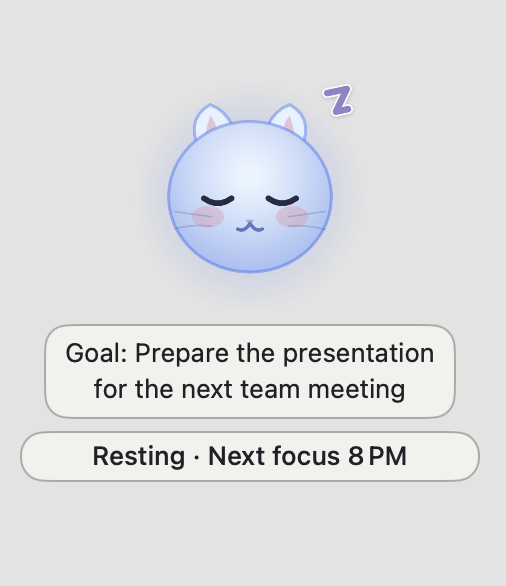
A practical study session with Meoz
Choose one concrete outcome: “Write three notes explaining this result.” Open the paper, your notes and the resources needed to understand it. Start a session with a duration that fits the work rather than treating a long timer as an achievement by itself.
Leave the goal banner visible if it helps you remember why a reference page is open. When you need a break, use the session controls available under your chosen configuration. Stronger commitment settings deliberately restrict some changes, so understand them before a high-pressure deadline.
At the end, look at the notes you produced and how the session felt. Did you notice detours sooner? Were legitimate resources accessible? Did the reminders help or become noise? Those answers are more useful than assuming an app is effective because its mascot is cute.
Limits, cost and privacy
Meoz runs on macOS 14 or later. It is not a phone focus timer or a cross-device blocker. Available browser permissions and readable context affect what it can assess; native app rules do not mean it semantically reads every app's content.
Meoz Free supports AI with your own key (BYOK), with separate provider charges where applicable. Pro adds managed AI and premium controls. Forest's features also vary by platform and plan, so check the current details for the device you intend to use.
Relevant context is sent for Meoz's AI operations. Review its privacy explanation before enabling the service. A timer and goal-aware classification can involve different processing, and AI can make mistakes. This comparison is not a clinical claim about attention or ADHD.
Should you switch from Forest?
Keep Forest if its sessions and rewards already help you do the work. Try Meoz if you start willingly but keep drifting while the session is underway. You do not need to abandon a working routine because another app offers more features.
If you use both, avoid stacking conflicting blocking rules. Keep the experiment simple: one familiar work period, one clear goal, one reason for each tool. Meoz should earn its place by making it easier to return—not by adding another thing you feel obliged to manage.
For your next session, choose the paper, paragraph or problem you have been avoiding. Give Meoz that goal. The outcome to look for is a little more progress with less friction getting back to it.
Try a goal-focused session with Meoz
About this guide
We build Meoz. This comparison uses official public product information reviewed on October 17, 2026; it is not a hands-on benchmark or a measured effectiveness ranking. Our recommendations reflect workflow fit. Features can vary by platform and plan.
Keep reading
The best focus app for students and researchers? Meet Meoz.
Looking for the best focus app for studying and research on Mac? Meet Meoz: a friendly AI companion for thesis writing, Overleaf, coding and educational YouTube.
Read article → GuidesThe best focus app for self-directed learning? Get past the next tutorial.
Learning after work or changing careers? Meoz helps you protect practice time on Mac, keep useful tutorials and return when recommendations pull you away.
Read article → ComparisonsMeoz vs StudyStream & Focusmate: company for focused work
Compare Meoz's personal Mac companion with StudyStream's live focus rooms and Focusmate's video coworking. Choose support for starting, staying on task or both.
Read article →